Phishing Emails Are Getting Smarter — How to Spot Them in 2026
🎣 Key Takeaways
- AI-generated phishing emails in 2026 are nearly indistinguishable from legitimate messages
- Five quick checks — sender address, urgency language, link preview, attachment type, and context — catch 90% of phishing attempts
- Most phishing attacks target employees, not systems — training is your best defense
- Free tools like Google’s Safe Browsing and built-in email filters block the obvious ones, but the sophisticated ones slip through
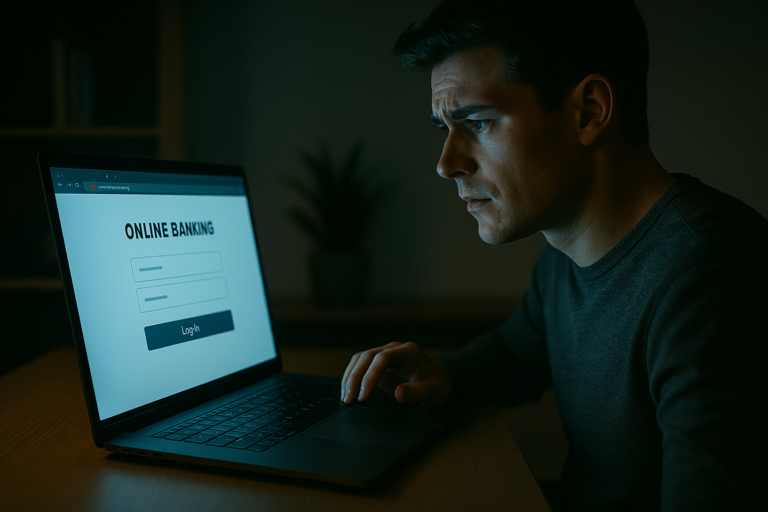
You get an email from your bank. The logo looks right. The grammar is flawless. The sender name matches. It says there’s suspicious activity on your account and you need to verify your identity within 24 hours or your account will be locked.
Two years ago, you might have caught it — a misspelled word, a dodgy email address, an image that didn’t quite load properly. But in 2026, AI has made phishing emails almost perfect. And “almost perfect” is enough to fool most people.
Why phishing is getting harder to spot
Phishing has evolved from clumsy mass emails full of typos to targeted, well-crafted messages that are personalized to you. Attackers now use large language models to generate emails that match the tone, style, and formatting of legitimate communications from companies you actually use.
They scrape your social media profiles, LinkedIn connections, and public records to craft messages that reference real events in your life — a recent purchase, a job change, a conference you attended. This is called spear phishing, and it’s devastatingly effective.
The average cost of a successful phishing attack on a small business is $150,000. For many SMBs, that’s an extinction-level event.
The 5 checks that take 10 seconds
You don’t need to be a cybersecurity expert to spot phishing. These five checks, done in order, will catch the vast majority of phishing attempts — even the AI-generated ones.
1. Check the sender’s actual email address
Not the display name — the actual email address. Click or hover on the sender’s name to reveal the full address. Legitimate emails from your bank come from domains like @notifications.chase.com. Phishing emails come from addresses like @chase-security-alert.com or @chasebank.notification-center.ru.
This single check catches about 60% of phishing emails. The address is the hardest thing for attackers to fake convincingly.
2. Look for urgency and threats
Legitimate companies rarely threaten you via email. Phrases like “your account will be suspended,” “immediate action required,” or “you have 24 hours to respond” are classic manipulation tactics designed to override your judgment with panic.
When you feel a rush of anxiety from an email, that’s exactly when you should slow down. Real emergencies come through phone calls, not emails with countdown timers.
3. Hover over links before clicking
On a computer, hover your mouse over any link in the email without clicking. The actual URL will appear in the bottom-left corner of your browser or in a tooltip. On mobile, press and hold the link. Does the URL match the company’s actual website? Does it use HTTPS? Is the domain spelled correctly?
Watch for subtle tricks like paypa1.com (number 1 instead of letter L) or arnazon.com (rn looks like m). These are real examples from actual phishing campaigns.
4. Be suspicious of attachments
Unless you’re specifically expecting a file from someone, don’t open email attachments — especially .zip, .exe, .docm (macro-enabled Word documents), or .js files. Even PDFs can contain malicious links.
If a company needs you to download something, go to their website directly rather than clicking the attachment in the email.
5. Ask yourself: does this make sense?
Context is your final filter. Did you actually order something from this company? Do you have an account with this bank? Would your CEO really email you at 11pm asking you to wire money urgently?
If something doesn’t feel right, verify through a separate channel. Call the company using the number on their official website — not the number in the email. Forward the suspicious email to your IT team. A two-minute phone call is infinitely cheaper than a breach.
What to do if you clicked a phishing link
Don’t panic, but act quickly. Here’s the immediate action plan:
- Disconnect from the internet — if you’re on a work computer, this prevents malware from spreading to other systems
- Change your passwords — starting with the account that was targeted, then email, then banking. Use a different device to do this
- Enable 2FA — if you haven’t already, now is the time
- Report it — tell your IT team or manager. Forward the email to your email provider’s phishing report address
- Monitor your accounts — check bank statements, email sent folder, and any accounts that share the compromised password for unusual activity
Frequently Asked Questions
Can antivirus software protect me from phishing?
Partially. Modern antivirus tools include web protection that can block known phishing sites, but they can’t stop you from entering your credentials on a convincing fake page that hasn’t been flagged yet. Your own awareness is still the most reliable defense.
What’s the difference between phishing and spear phishing?
Regular phishing is a mass email sent to thousands of people hoping some will click. Spear phishing targets specific individuals using personal information to make the email convincing. Spear phishing is much harder to detect and much more dangerous.
Are phishing emails always about money?
No. Many phishing attacks target login credentials — your email password, cloud storage access, or work VPN credentials. Once an attacker has access to your email, they can reset passwords for other accounts, read confidential information, and even send phishing emails to your contacts from your real address.
Should I report phishing emails or just delete them?
Report them. Most email providers have a “Report phishing” button. This helps train spam filters to catch similar emails in the future, protecting you and millions of other users. In a business setting, always forward suspicious emails to your IT or security team.