What Is Zero Trust? A Plain English Guide to the Security Model
A $34 billion company was brought to its knees by a 10-minute phone call. Zero Trust is the security model designed to make sure that can never happen again. Here is how it works and how to start building it.
Key Takeaways
- Zero Trust is a security model, not a product. Its core principle is “never trust, always verify” for every user, device, and request
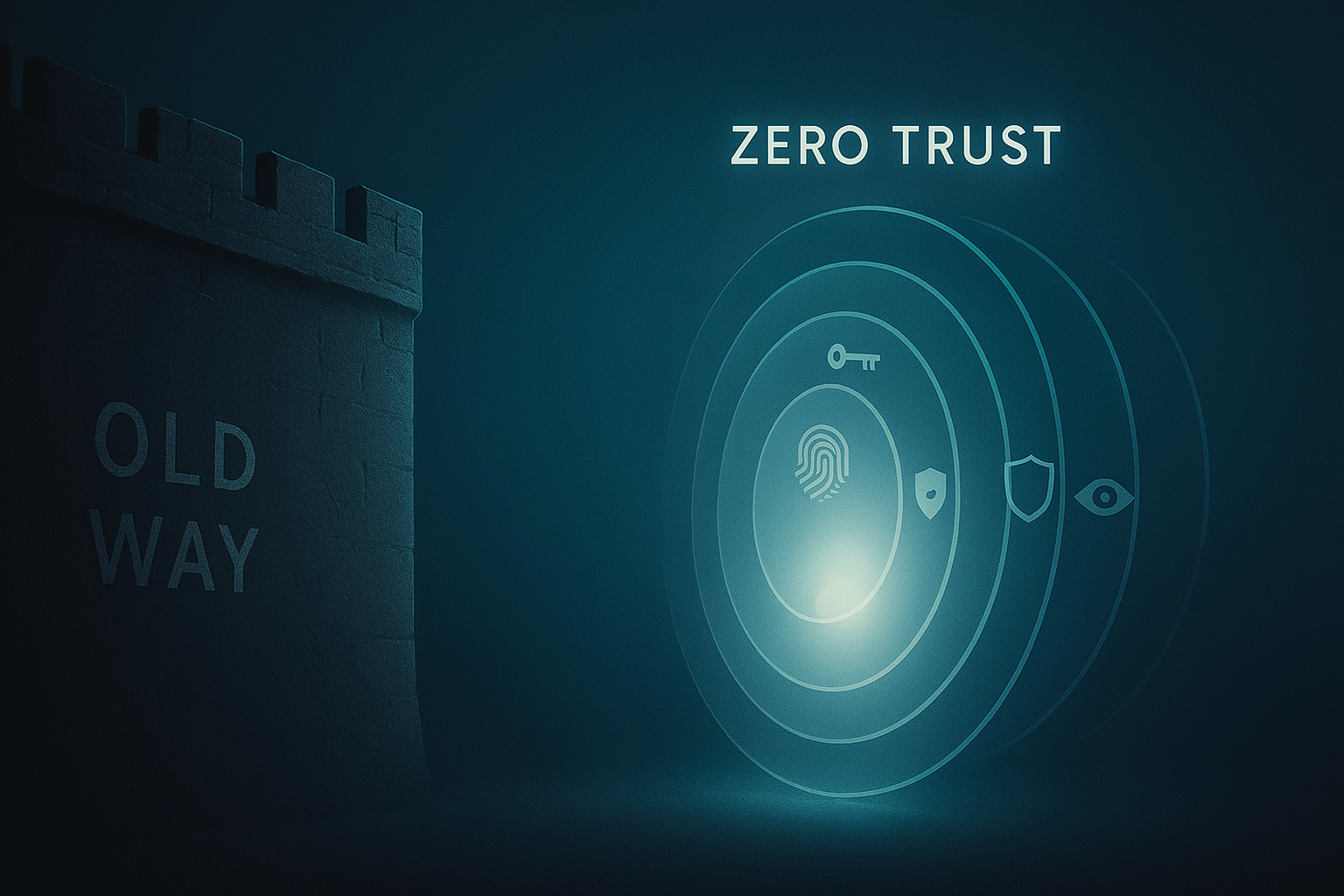
- The old “castle and moat” model assumed everyone inside the network was safe. That assumption no longer holds in a world of cloud apps, remote work, and stolen credentials
- A mature Zero Trust setup would have blocked the MGM Resorts breach that caused $100 million in damage from a single phone call
- Small businesses can start with three free moves: single identity provider, mandatory MFA, and replacing the VPN with a ZTNA tool
If you have ever worked at a company where being “on the corporate network” meant you basically had keys to the kingdom, where once you were in the systems mostly trusted you, then you have seen the security model that Zero Trust exists to replace.
The old model, sometimes called “castle and moat,” assumed the bad guys were outside and the good guys were inside. Build a strong wall with a firewall, check ID at the gate with a VPN, and once someone is through, they are trusted. That worked reasonably well in 1998, when “the network” was a single building with a single internet connection. It does not work in 2026, when your company’s data lives in five SaaS apps, your team works from home, your contractor in Manila needs the same access as a full-time employee in Berlin, and the attacker who just stole your CFO’s password is, by definition, “inside.”
Zero Trust is the answer to that mismatch. Its slogan is “never trust, always verify,” and its core idea is straightforward: being on the internal network does not earn anyone any trust. Every user, every device, every request gets checked, every time, against the question: should this specific person, on this specific device, be allowed to access this specific thing, right now?
This guide walks through what Zero Trust actually is, how it would have stopped the MGM hack, the practical steps for building it in your organization, and tips for small businesses that want to start without a six-figure budget.
What is Zero Trust, in plain English?
Zero Trust is a security model, not a single product. You do not “buy Zero Trust.” You design your environment so that three principles are true:
- Verify explicitly. Every access request is authenticated and authorized using everything you know: user identity, device health, location, time, and sensitivity of the resource. Not just “did they log in once this morning.”
- Use least privilege. People and systems get the minimum access they need to do their job, for the minimum time they need it. Not everyone is a domain admin. Not everyone gets the production database.
- Assume breach. Design as if the attacker is already inside. Segment the network so a single compromised account cannot reach everything. Log and monitor relentlessly so you can detect and contain.
The U.S. National Institute of Standards and Technology formalized this in NIST Special Publication 800-207, which is the closest thing to an official definition. If you want the canonical reference, that document is it.
Why Zero Trust matters now
Three things broke the castle-and-moat model:
- The cloud. When your data lives in Microsoft 365, Salesforce, and AWS, there is no perimeter to defend. Your “network” is the public internet.
- Remote work. The pandemic permanently scattered the workforce. People log in from coffee shops, home Wi-Fi, hotel rooms, and personal phones. There is no “inside” anymore.
- The economics of attacks. Modern attackers do not need to break the wall. They buy a stolen password for $10, log in like a real user, and move laterally. The 2025 Verizon DBIR found stolen credentials were the initial access in 22% of breaches, and human-element factors played a role in 60%.
If “inside the network” does not mean anything anymore, then trust based on “inside the network” does not either. That is the entire argument for Zero Trust in one sentence.
How Zero Trust would have stopped the MGM Resorts hack
In September 2023, attackers calling themselves Scattered Spider found an MGM employee on LinkedIn, called the help desk pretending to be them, and got their account reset over a 10-minute phone call. From that single compromised account, they pivoted to admin-level access in MGM’s identity system, then moved laterally to deploy ransomware across the environment. Total damage: roughly $100 million.
A mature Zero Trust architecture would have made that path much harder in three places:
- Phishing-resistant MFA. Even with the password, the attacker would need a hardware key bound to the real employee’s identity. A vishing call cannot extract that.
- Device verification. The attacker was on their own machine, not the employee’s registered laptop. A Zero Trust policy would check device identity and posture before granting access, and reject an unknown device outright.
- Least privilege and microsegmentation. Even if access happened, that one account should not have been one hop away from administering the entire identity system. Zero Trust environments require explicit privilege elevation, just-in-time admin access, and segmentation that prevents lateral movement to sensitive systems.
Zero Trust does not claim to make breaches impossible. It makes them small.
How to actually implement Zero Trust
Zero Trust is a journey, not a Saturday afternoon project. Most organizations roll it out in phases over 12 to 24 months. Here is the practical sequence that works.
Step 1: Inventory everything
You cannot protect what you cannot see. Map your users, your devices, your applications, your data, and how they all connect. Identify the crown jewels: the data and systems that, if breached, would actually hurt you.
Step 2: Get identity right
Identity is the new perimeter. Consolidate accounts into a single identity provider such as Microsoft Entra ID, Okta, or Google Workspace. Enforce strong MFA, ideally phishing-resistant FIDO2 keys for admins, and implement single sign-on across your apps. This step alone delivers most of Zero Trust’s near-term value.
Step 3: Verify devices, not just users
A valid user on a malware-infected laptop is still a problem. Enroll devices in management tools like Intune or Jamf, check device health (encryption on, OS patched, endpoint detection running) before granting access, and reject unknown devices.
Step 4: Apply least privilege
Audit who has access to what. Remove standing admin rights wherever possible and replace them with just-in-time elevation. The user requests admin access for a specific task, gets it for an hour, and loses it automatically. This is the single biggest reduction in blast radius you can make.
Step 5: Segment the network
Stop letting any device on the network reach any other. Use microsegmentation to enforce that, for example, a marketing laptop can never talk directly to the production database. Tools like Illumio, Akamai Guardicore, and cloud-native equivalents handle this.
Step 6: Replace the VPN
VPNs put users on the network and trust them. Zero Trust Network Access (ZTNA) products connect specific users to specific applications, never to the broader network. Cloudflare Access, Zscaler Private Access, Tailscale, and Twingate are leading options. This is the biggest practical change most users will notice.
Step 7: Monitor everything
Centralize logs from identity, devices, network, and applications into a SIEM or XDR platform. Build alerts for the patterns attackers actually use: impossible travel, sudden privilege elevation, mass file access, and new device registrations. “Assume breach” only works if you can detect a breach.
Step 8: Iterate
Zero Trust is never done. Tune your policies based on what you see. Tighten where you can, loosen where security is blocking legitimate work. Run tabletop exercises and red-team tests to find gaps.
Top vendors in the Zero Trust space
The market is crowded. Almost every security vendor now has a “Zero Trust” page on their website. The names below show up consistently in serious deployments. None of these are endorsements; the right tools depend on your existing stack and what you are trying to solve.
- Microsoft Entra ID plus Conditional Access, Intune, Defender for Endpoint, and the broader Microsoft 365 E5 stack. For organizations already on Microsoft, this is the most natural Zero Trust foundation.
- Okta A leading identity provider with strong adaptive MFA, lifecycle management, and integrations across thousands of apps.
- Google BeyondCorp Enterprise was the original named Zero Trust deployment, built on Google’s own internal model from a decade ago.
- Cloudflare Cloudflare One bundles ZTNA, secure web gateway, email security, and DLP into a single platform delivered from their global edge network.
- Zscaler A pure-play cloud security vendor with mature ZTNA and secure web gateway products.
- Palo Alto Networks Prisma Access and Prisma SASE for organizations wanting an enterprise networking-and-security stack from one vendor.
Zero Trust tips for small businesses
Zero Trust is not only for enterprises. A 10-person business gets meaningful benefits from these moves alone, and most of them are free or already included in existing subscriptions:
- Use a single identity provider for everything. Google Workspace or Microsoft 365 sign-in connected to your other tools via SSO. One account to manage, one account to revoke when someone leaves.
- Mandate MFA, ideally with hardware keys for admins. A pair of YubiKeys per admin costs less than one good dinner. Our 2FA guide explains the setup process.
- Replace your VPN with a ZTNA tool. Tailscale and Cloudflare Access have free tiers that handle small teams comfortably.
- Lock down admin access. No daily-driver accounts with admin rights. Separate admin accounts used only when needed.
- Enroll devices in basic management. Even free MDM tools enforce disk encryption, lock screens, and OS updates, all of which raise the security floor enormously.
Common mistakes that derail Zero Trust projects
- Treating it as a product purchase. No vendor sells “Zero Trust.” They sell pieces. Buying a tool without a strategy gets you a tool, not Zero Trust.
- Trying to do it all at once. Boil-the-ocean projects fail. Pick one high-value workflow like admin access or finance systems and prove the model there first.
- Forgetting the user experience. If your security policies make daily work miserable, people will route around them. Every friction point is a future shadow-IT problem.
- Skipping the inventory step. You cannot protect what you cannot see. Half-baked asset inventories are the silent killer of Zero Trust rollouts.
- Confusing MFA with phishing-resistant MFA. SMS codes and even authenticator apps can be defeated by modern phishing kits. For high-value accounts, FIDO2 hardware keys are the standard to aim for.
The bottom line
Zero Trust is not a product, a checkbox, or a destination. It is a way of thinking about access that finally matches how modern work actually happens: distributed, cloud-based, identity-driven, and constantly under attack. The question stops being “are they on our network” and starts being “should this person, on this device, be allowed to do this thing, right now?”
Start with identity. Add MFA. Pick one workflow and build from there. Done patiently over a year or two, Zero Trust is the difference between a single phishing email becoming a $100 million incident and the same email getting caught at the second checkpoint, while everyone else gets on with their day.
Frequently Asked Questions
Is Zero Trust the same as ZTNA?
No. Zero Trust is the overall security model. ZTNA (Zero Trust Network Access) is a specific category of products that replaces VPNs by connecting users to apps based on identity and policy, not network location. ZTNA is one component of Zero Trust, not the whole thing.
Does Zero Trust mean no VPN at all?
Eventually, ideally yes. Most VPNs are replaced by ZTNA over time. In practice, many organizations run both for years during the transition. The goal is to retire the “broad network access” pattern, not to delete the VPN tomorrow.
How long does a Zero Trust rollout take?
For most organizations, 12 to 24 months to reach a meaningful state, and ongoing refinement forever after that. The early identity and MFA phase delivers value within weeks. Microsegmentation and full ZTNA migration take much longer.
Is Zero Trust only for big companies?
No. The principles scale down, and small businesses arguably benefit more because they cannot afford the consequences of a flat-network breach. A single identity provider, mandatory MFA, and a ZTNA tool with a free tier give a small business a meaningful Zero Trust foundation in under a month.
Will Zero Trust slow down my employees?
Done well, no, and often the opposite. SSO with strong MFA usually means fewer passwords to remember, not more. ZTNA tools tend to be faster and more reliable than legacy VPNs. The friction comes from poorly tuned policies, not from the model itself.