Iranian Hackers: How to Protect Your Data
State-backed attackers sound like someone else’s problem. The truth is that Iranian hackers use the same simple tricks that land in your inbox every week.
🔑 Key Takeaways
- Iranian hackers rely on phishing, weak passwords, and unpatched software, not movie-style wizardry.
- The same groups that hit governments also sweep up universities, companies, and everyday users.
- Multi-factor authentication and regular updates block the large majority of these attacks.
- You do not need a big budget to defend yourself, just a few consistent habits.
Who are Iranian hackers, and why should you care?
Iranian hackers are groups, many of them linked to the Iranian government, that break into computer networks to steal information or cause disruption. They have a reputation for being skilled and, above all, patient. They will probe a target for weeks until they find one unlocked door.
You might assume Iranian hackers only chase diplomats and power plants. In reality, their campaigns have swept up hundreds of universities and dozens of private companies. If your email address exists, you are a potential stepping stone to a bigger target. That is why this matters to beginners and small business owners, not just government agencies.
Two things drive these groups. The first is political and strategic gain. Iran has a tense relationship with the West, so stealing information is a way to gather leverage. The second is money. Like ordinary criminals, these groups also steal data they can sell or use to extort victims. The motive barely matters to you. The defense is the same either way.
How Iranian hackers break in
Here is the reassuring part. The methods are not magic. Iranian hackers lean on a short list of techniques, and most of them target people, not machines.
- Spear-phishing: a fake email built just for you, often pretending to be a colleague or a service you use, designed to make you click a link or open an attachment.
- Malware: harmful software, like a hidden passenger, that sneaks onto your device after you open the wrong file.
- Social engineering: psychological tricks that pressure you into handing over a password or approving a request before you think it through.
One of the best known groups, tracked as APT33, has been active since at least 2013. The label APT stands for advanced persistent threat, which is a fancy way of saying a well-funded attacker that does not give up. To learn how the email bait works in detail, read our guide on what phishing is and how to protect yourself.
In 2018, the US Department of Justice indicted nine people over a hacking campaign that targeted more than 300 universities and 47 companies around the world.
Notable attacks and what they reveal
A few real cases show the range of these campaigns, from quiet theft to loud destruction.
- US universities and companies, 2018: attackers stole research and intellectual property from hundreds of institutions, showing that schools and mid-sized firms are squarely on the menu.
- UK Parliament, 2017: hackers believed to be linked to Iran went after the email accounts of around 90 members of Parliament. The attack failed, but it was a wake-up call.
- Saudi oil industry, 2012: a virus called Shamoon wiped the systems of a major oil company, causing serious disruption. Many experts link the attack to Iran.
Notice the pattern. In almost every case, the first step was a person clicking something or reusing a weak password. That is good news, because those are exactly the habits you can fix.
How to protect yourself from Iranian hackers
You cannot change the geopolitics. You can close the doors Iranian hackers walk through. These four habits do most of the work.
Turn on multi-factor authentication
Multi-factor authentication, often shortened to MFA, asks for a second proof of identity after your password, like a code from your phone. Think of it as a second lock on the door. Even if an attacker steals your password, they are stopped cold. Turn it on for email, banking, and any account tied to money. Our walkthrough on two-factor authentication explained simply shows you how in a few minutes.
Keep your software patched and updated
Many attacks rely on known flaws in old software. A patch is a free repair the maker sends out to close that flaw. When you delay updates, you leave the hole open. Turn on automatic updates for your operating system, browser, and apps, so the repair happens while you sleep.
Train your eye to spot phishing
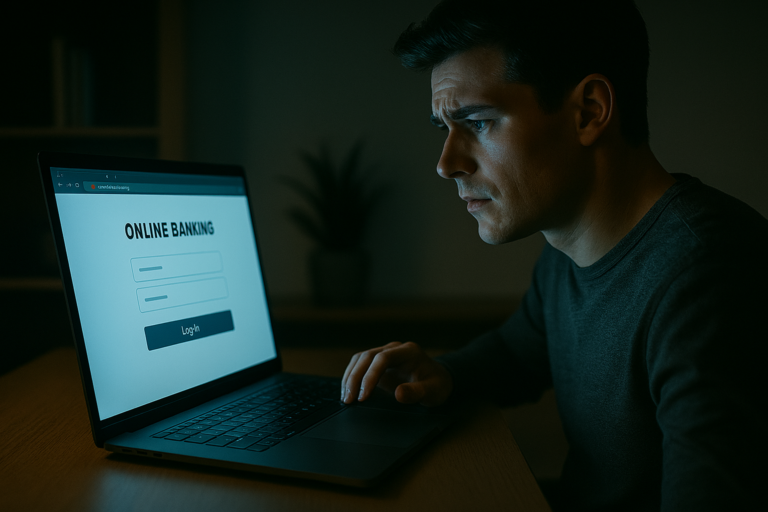
Slow down on any message that creates urgency or asks you to click, pay, or log in. Check the sender address for small misspellings. Hover over links before you tap them. If you run a team, a short monthly reminder does more than any expensive tool.
Use a password manager and unique logins
Reused passwords are a gift to attackers. If one site you use is breached, criminals try that same password everywhere else, a trick called credential stuffing. A password manager is a secure vault that creates and remembers a different strong password for every account, so you only memorize one. It takes an afternoon to set up and removes one of the most common ways break-ins start. Pair it with MFA, and a single leaked password becomes almost useless to anyone who finds it.
Separate and back up your important data
Large organizations use network segmentation, which means keeping sensitive systems on their own walled-off section so one breach cannot spread everywhere. You can borrow the idea at home. Keep work and personal accounts separate, and keep an offline backup of files you cannot afford to lose. If an attacker ever locks your data, a clean backup is your way out.
What to do this week
You do not have to act like a target of a nation state to be treated like one. Start small. Switch on MFA for your email today. Enable automatic updates tomorrow. Set a reminder to back up your files this weekend. For plain-language official guidance, the US agency CISA and the UK’s NCSC both publish free advice for individuals and small businesses.
The groups behind these campaigns are persistent, but they are also lazy in one sense. They go for the easy door. Close yours, and Iranian hackers will usually move on to a softer target.
Frequently Asked Questions
Are Iranian hackers a real threat to small businesses?
Yes. These groups often target smaller firms and universities as a path to bigger goals, or simply to steal data they can sell. Size does not make you invisible.
What is the single best defense?
Multi-factor authentication. It stops stolen passwords from working, which blocks a huge share of break-ins with almost no cost.
I am not technical. Can I still protect myself?
Absolutely. The strongest habits are simple: turn on MFA, let your devices update automatically, pause before you click, and back up your files.
How do these attackers usually get in?
Most attacks begin with a phishing email, a weak or reused password, or outdated software. All three are things you can fix without special tools.
Should I report a suspected attack?
Yes. Report it to your IT contact if you have one, and to a national authority such as CISA or the NCSC. Early reporting limits the damage.